Z am Berichtsende zeichnen
Um nach dem Ende des Berichts ein “Z” einzufügen, damit der Zwischeninhalt nicht manipuliert werden kann, muss ein Skript zum Bericht hinzugefügt werden.
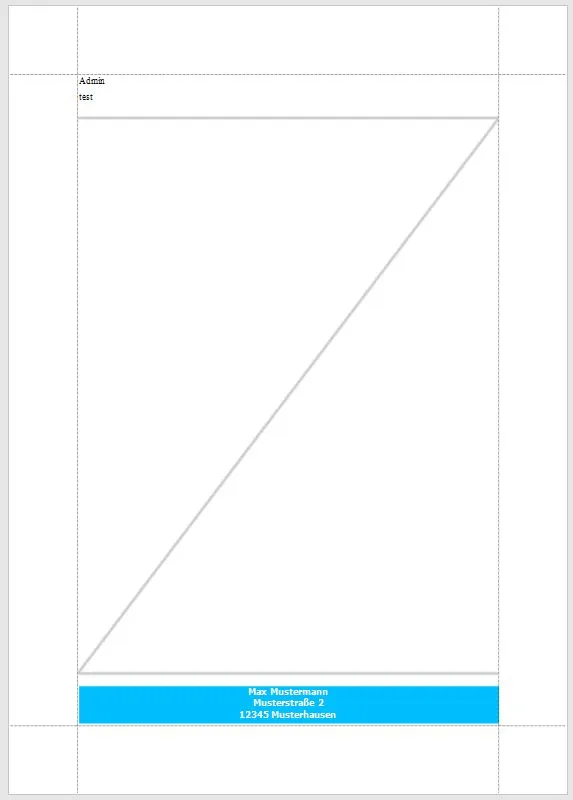
- Öffnen Sie den Bericht im Designer.
- Klicken Sie auf Skripte.
- Fügen Sie folgendes Skript ein:
Imports DevExpress.XtraPrinting.Drawing
Private Sub rpt_Generic_FillEmptySpace(ByVal sender As Object, ByVal e As DevExpress.XtraReports.UI.BandEventArgs)    Dim bandHeight As Integer = GraphicsUnitConverter.Convert(e.Band.Height, ReportUnit.ToDpi(), ReportUnit.HundredthsOfAnInch.ToDpi())
    If bandHeight <= 30 Then        Return    End If
    Dim bandWidth As Integer = GraphicsUnitConverter.Convert(Me.PageWidth- Me.Margins.Left - Me.Margins.Right, ReportUnit.ToDpi(), ReportUnit.HundredthsOfAnInch.ToDpi())    Dim size As New Size(bandWidth, bandHeight - 30)    Dim sizeInPixels As Size = XRConvert.Convert(size, GraphicsDpi.HundredthsOfAnInch, GraphicsDpi.Pixel)    Dim zBitmap As New Bitmap(sizeInPixels.Width, sizeInPixels.Height)`    Dim gr As Graphics = Graphics.FromImage(zBitmap)`
    Using pen As New Pen(Color.FromArgb(205, 205, 205), 4)        Dim points As Point() = New Point() {New Point(0, 4), New Point(sizeInPixels.Width, 4), New Point(0, sizeInPixels.Height - 4), New Point(sizeInPixels.Width, sizeInPixels.Height - 4)}
        gr.DrawLines(pen, points)    End Using
    ' Create a picture control, place it within the report    ' and assign the bitmap to the control.
    Dim pictureBox As New XRPictureBox()    pictureBox.BackColor = Color.Transparent    pictureBox.Size = size    pictureBox.Location = New Point(0, 15)    pictureBox.ImageSource = New ImageSource(zBitmap)    e.Band.Controls.Add(pictureBox)End Sub